
 Download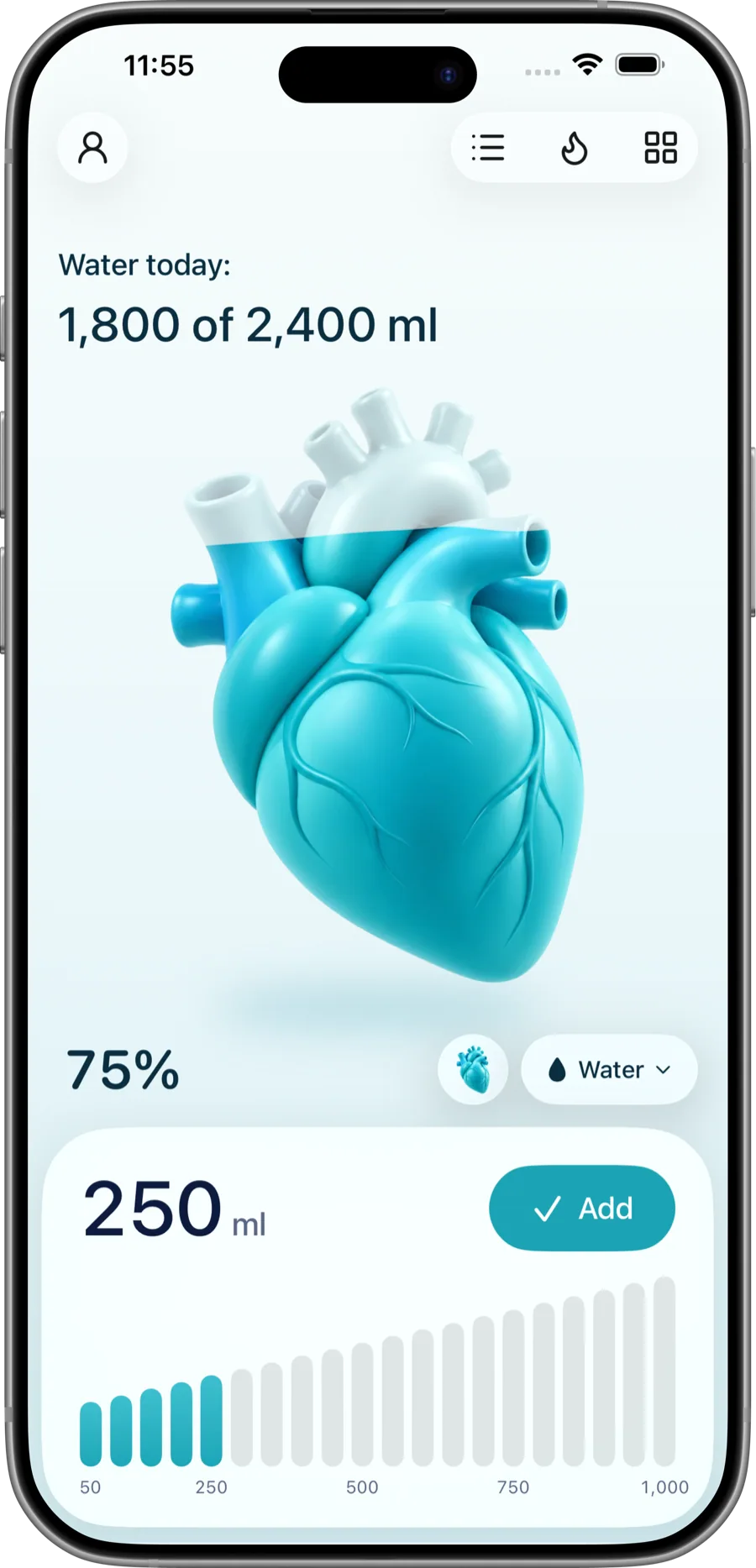
A different organ every day
Heart, brain, lungs, kidneys and more fill with water as you drink, on Today, your Apple Watch and a widget.
Hydrabit is the water tracker for iPhone and Apple Watch. Tap to log a glass, watch your heart, brain or lungs fill, and keep a streak going.
Free to use · No account · No ads · No tracking
Everything is one tap away. No tabs to learn, no setup screens, nothing to get in the way of a glass of water.
Heart, brain, lungs, kidneys and more fill with water as you drink, on Today, your Apple Watch and a widget.
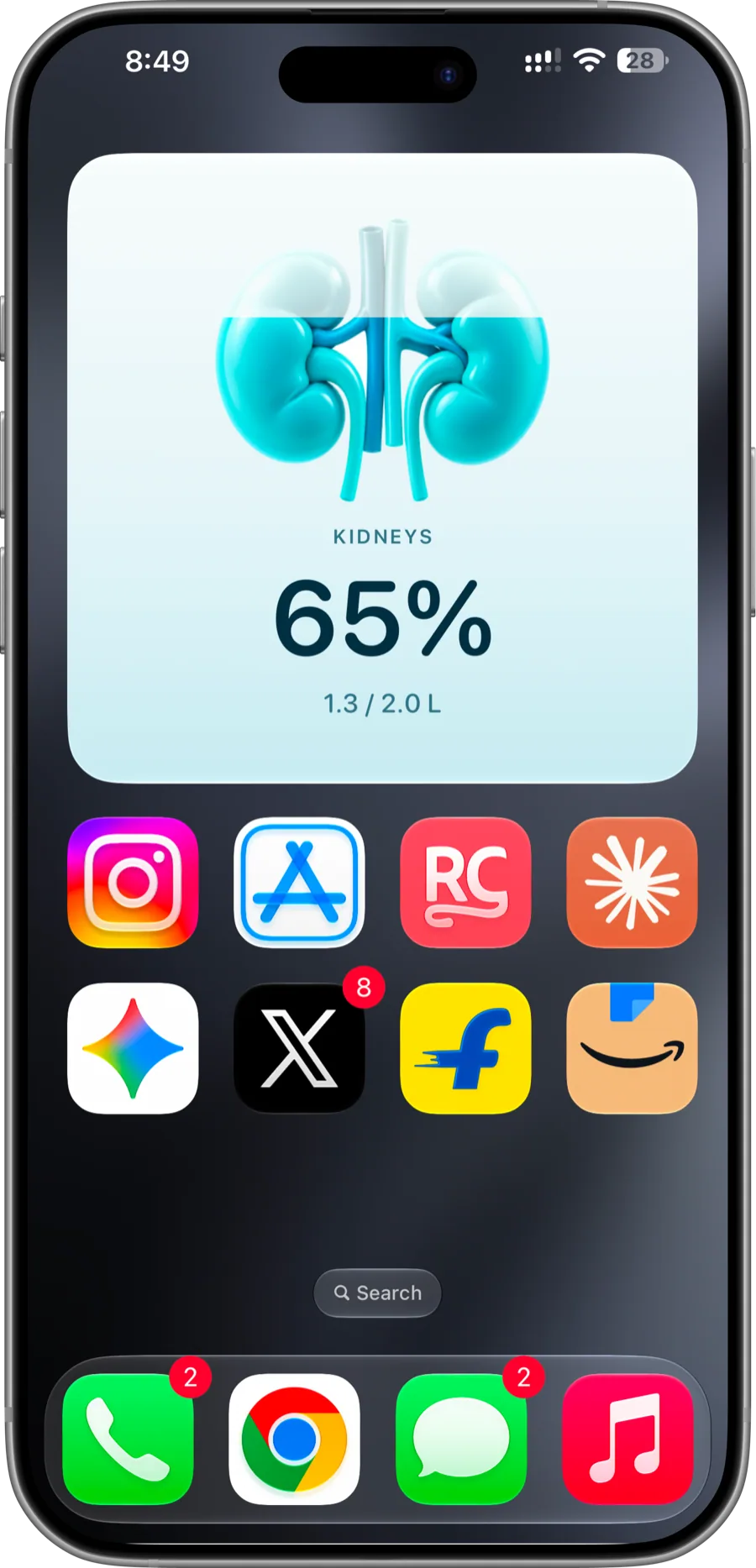
Add the organ widget or Water Balance in small, medium or large. Always up to date, and nothing to open.
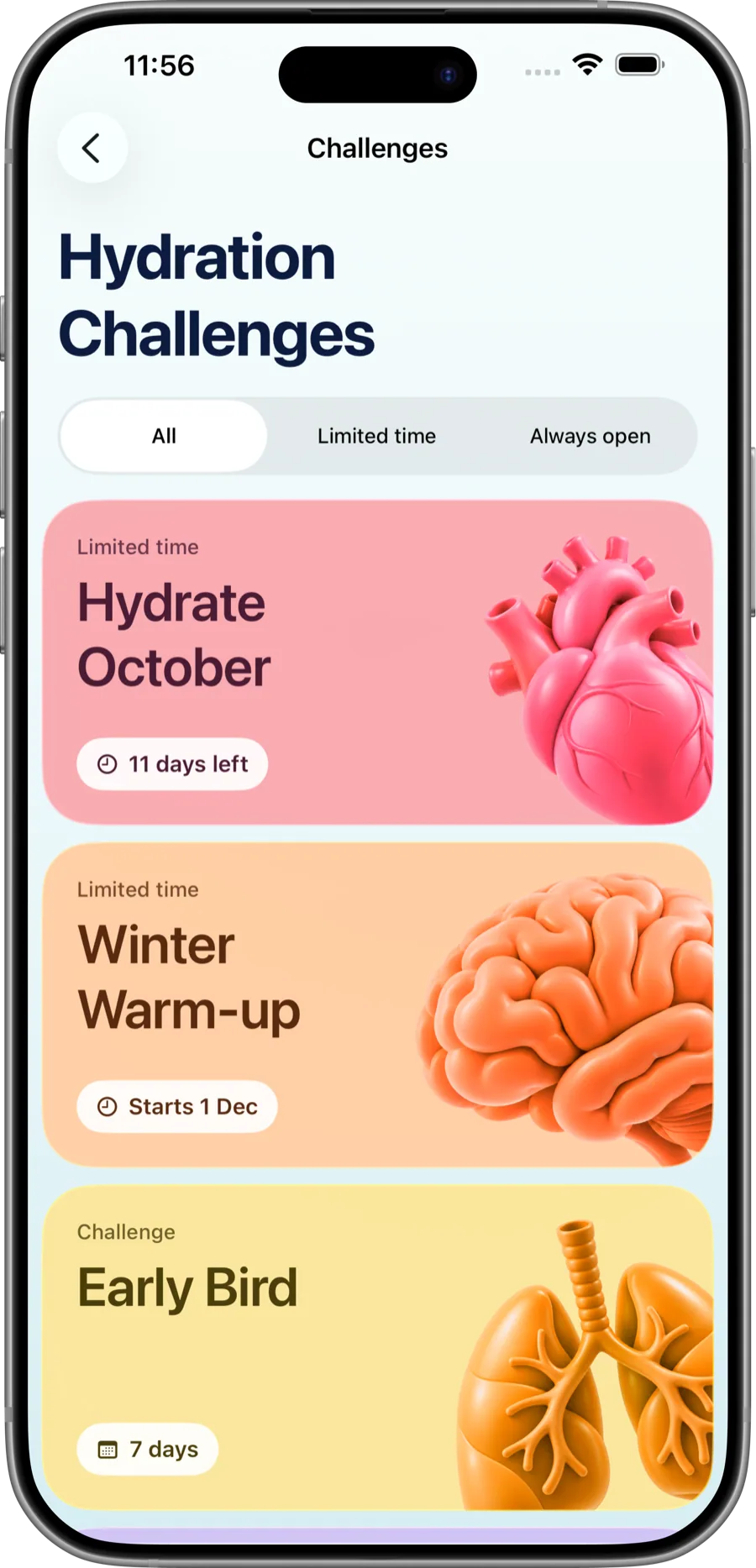
Short, swipeable tips and guided challenges in each organ’s colour, to share with friends.
Log a drink, ask how much is left, check your streak or undo a mistake, all by voice. The same actions work in the Shortcuts app.
Siri and Shortcuts quick logging is part of Hydrabit Essential.
Pick your own daily target, or let Hydrabit suggest one from your weight, activity and climate.
One tap, a quick amount, a widget, your wrist or your voice. It takes a second.
Today’s organ rises with every glass, on your phone and on your Apple Watch.
Every day you reach your goal is marked, with twelve weeks of history a tap away.
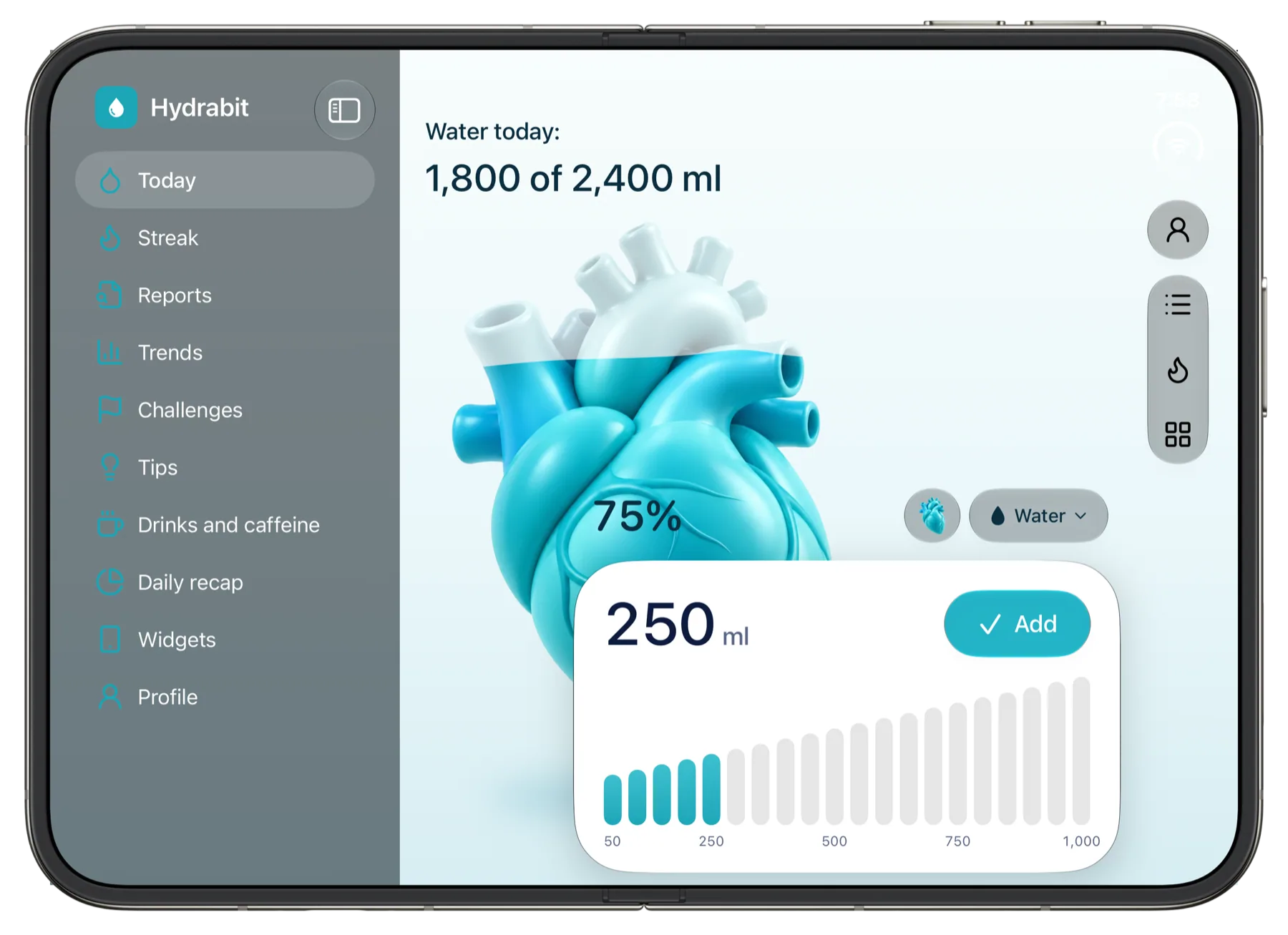
iPhone, iPad, iPhone Duo and Apple Watch, each with a layout of its own.
iPhone
Log a glass in a tap.
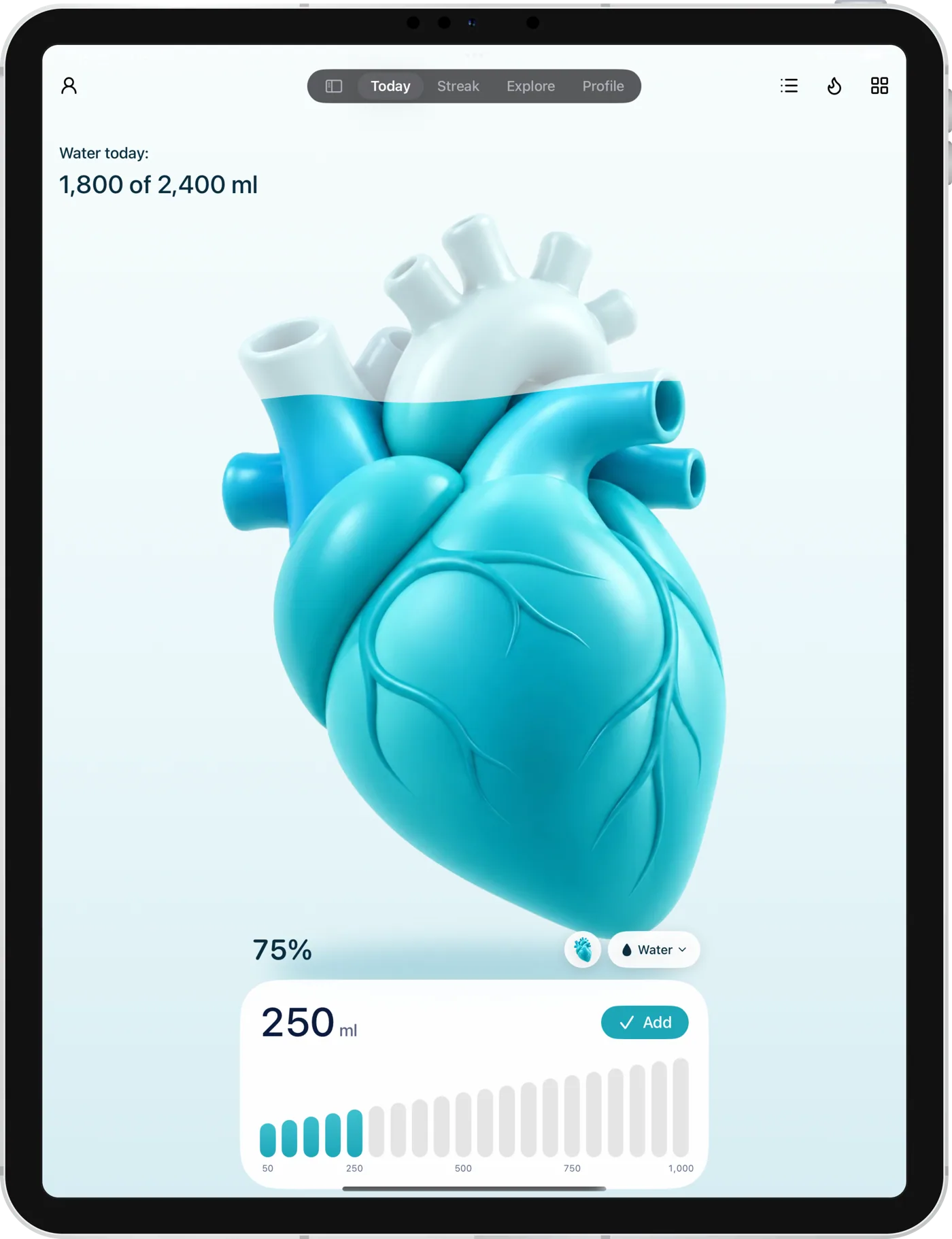
iPad
A sidebar and room to spread out.
iPhone Duo
Fits both displays, and keeps your place when you fold.
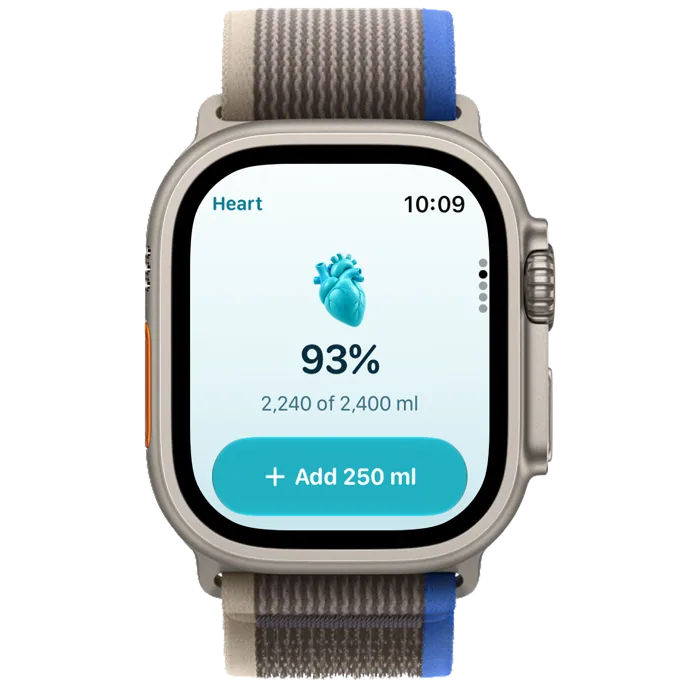
Apple Watch
Your ring and one tap to add.
Your water log is nobody’s business but yours. Hydrabit keeps your drinks, goal and history right on your iPhone.
Noaccount.
Open it and start. There is nothing to sign up for.
Noads.
Water is the only thing on the screen.
Notracking.
No analytics and no third-party SDKs. Nothing is sold or shared.
Nothingsent to us.
Your drinks, goal and history stay on your device.
iCloud backup and Apple Health sync are optional. They stay in your own accounts, and only if you turn them on.
Pick yours in Profile. Arabic, Hebrew, Persian and Urdu turn the whole app right to left.
Onboarding, the paywall, menus and tip and challenge titles are translated. The long tip and challenge text is still in English.
Logging, your goal, reminders and history are always free.
$0
Everything you need to build the habit.
Download free$2.99a year
The first week is free. Cancel any time in Settings.
Start 7-day free trial$9.99once
One payment, no renewals. Yours on every device signed into your Apple Account.
Get lifetime accessPrices are in US dollars and vary by country. Payment is charged to your Apple Account; the yearly plan renews unless cancelled at least 24 hours before the period ends.
Hydrabit is a simple water tracker for iPhone and Apple Watch. You log a glass in a tap, see your day at a glance, set a daily goal you choose, get reminders that stop once you hit it, and keep a streak.
Hydrabit is free to use: unlimited logging, your own daily goal, reminders, your full history, reports, trends and Apple Health sync. Hydrabit Essential adds widgets, Siri and Shortcuts quick logging, guided challenges, editing or undoing logged drinks and the Apple Watch week chart, streak page and complication. Essential is $2.99 a year with a 7-day free trial, or $9.99 once for life. Prices are in US dollars and vary by country.
Yes. Choose Water, Coffee, Tea, Juice, Soda or Other before you log. Water counts in full; the other drinks count toward your goal at a slightly lower typical value, so a coffee helps but is not scored like a glass of water.
Yes. The Apple Watch app shows today's ring and logs a glass with one tap. The week chart, streak page and a watch-face complication come with Hydrabit Essential.
It keeps the app free of ads and trackers, and it is $2.99 a year with the first week free, or $9.99 once for life.
No. There is no sign-up, and Hydrabit has no servers: nothing is sent to us.
Yes. Your drinks, goal and history stay on your device, and in your own iCloud only if you turn on the optional backup. Hydrabit has no analytics, no advertising and no third-party SDKs, and it never sells or shares your data.
Yes, both ways. Drinks are saved as dietary water, and water logged elsewhere counts toward your target.
Each day a different organ, such as your heart, brain or lungs, fills with water as you drink, on Today, on the Apple Watch and in the organ widget. It is a reminder that water is what keeps them working.
Yes. Turn on iCloud backup in Profile and Hydrabit keeps a copy of your drinks in your own iCloud, so you can restore them on a new phone. It is optional and off until you turn it on.
You can choose from 27 languages in Profile, including Arabic, Hebrew, Persian and Urdu (the app turns right to left for those), Tamil, Hindi, Spanish, French, German, Japanese and more. Tips and challenge text is still in English.
Yes, with Hydrabit Essential. Say "Hey Siri, log 350 ml of water in Hydrabit", or a glass, a bottle, a cup of tea. You can also ask how much you have had, how much is left, or your streak, undo the last drink, or open a page. The same actions are in the Shortcuts app for automations. Siri phrases are in English for now.
Settings > your name > Subscriptions, or tap Manage in Hydrabit.
Add the Log a glass control to Control Center, and you’re done.